WiBot
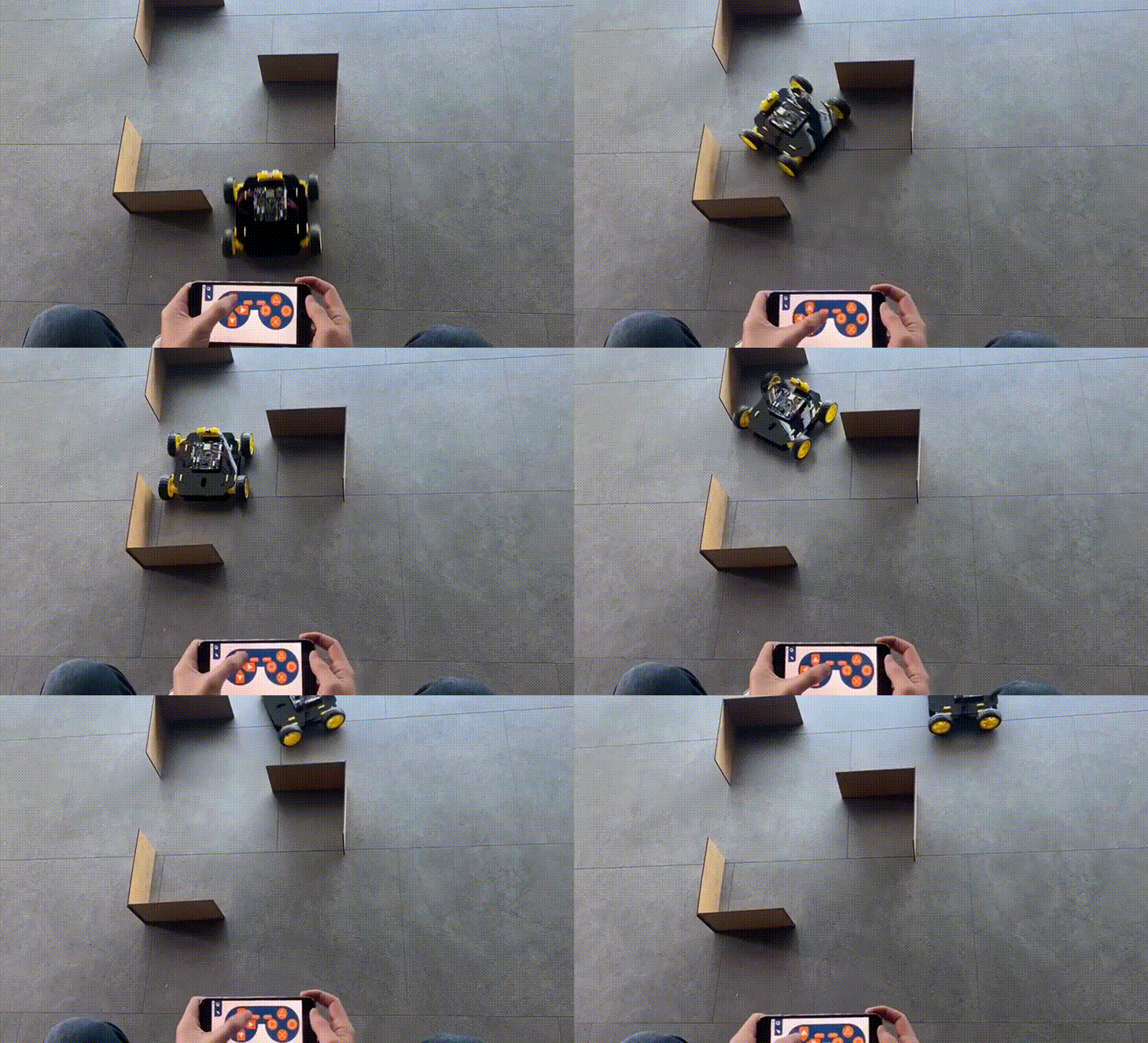
WiBot is a REX 8 in 1 robot that does not contain any extra sensors for autonomous driving and allows only remote control. After completing the installation of WiBot, you will not have any difficulties in the circuit setup. After connecting the 4 connector cables required for the motor to the REX board, you can perform tasks that require remote control by using the electronic features of the REX board and the mechanical features of the WiBot without adding any extra sensors to the circuit.
WiBot Arduino C Code
//Wi-Bot
#define CUSTOM_SETTINGS
#define INCLUDE_GAMEPAD_MODULE
#include <DabbleESP32.h>
#include <Arduino.h>

//define motor pins and speeds
#define MotorA1 15  // Forward
#define MotorA2 23  // Backward

#define MotorB1 32  // Forward
#define MotorB2 33  // Backward

#define MotorC1 5  // Forward
#define MotorC2 4  // Backward

#define MotorD1 27  // Forward
#define MotorD2 14  // Backward

//define buzzer pin named "horn"
#define horn 25

void setup() {
  pinMode(horn, OUTPUT);
  pinMode(MotorA1, OUTPUT);
  pinMode(MotorA2, OUTPUT);

  pinMode(MotorB1, OUTPUT);
  pinMode(MotorB2, OUTPUT);

  pinMode(MotorC1, OUTPUT);
  pinMode(MotorC2, OUTPUT);

  pinMode(MotorD1, OUTPUT);
  pinMode(MotorD2, OUTPUT);

  Serial.begin(115200);
  Dabble.begin("REX_ROBOT");
}

void loop() {
  Dabble.processInput();
  stop();
  if (GamePad.isUpPressed())
  {
    forward();
  }

  if (GamePad.isDownPressed())
  {
    backward();
  }

  if (GamePad.isLeftPressed())
  {
    left();
  }

  if (GamePad.isRightPressed())
  {
    right();
  }

  if (GamePad.isSquarePressed())
  {
    Serial.print("Square");

  }

  if (GamePad.isCirclePressed())
  {
    for (int i = 0; i < 3; i++)
    {
      forward();
      digitalWrite(horn, HIGH);
      delay(300);
      digitalWrite(horn, LOW);
      left();
      digitalWrite(horn, HIGH);
      delay(300);
      digitalWrite(horn, LOW);
      right ();
      digitalWrite(horn, HIGH);
      delay(300);
      digitalWrite(horn, LOW);
      left();
      digitalWrite(horn, HIGH);
      delay(300);
      digitalWrite(horn, LOW);
    }
  }

  if (GamePad.isCrossPressed())
  {
    Serial.print("Cross");
    digitalWrite(horn, HIGH);
    delay(100);
    digitalWrite(horn, LOW);
  }

  if (GamePad.isTrianglePressed())
  {
    Serial.print("Triangle");
  }

  if (GamePad.isStartPressed())
  {
    Serial.print("Start");
  }

  if (GamePad.isSelectPressed())
  {
    Serial.print("Select");
  }
  Serial.print('\t');

  int a = GamePad.getAngle();
  Serial.print("Angle: ");
  Serial.print(a);
  Serial.print('\t');
  int b = GamePad.getRadius();
  Serial.print("Radius: ");
  Serial.print(b);
  Serial.print('\t');
  float c = GamePad.getXaxisData();
  Serial.print("x_axis: ");
  Serial.print(c);
  Serial.print('\t');
  float d = GamePad.getYaxisData();
  Serial.print("y_axis: ");
  Serial.println(d);
  Serial.println();
}

void forward() {
  digitalWrite(MotorA1, HIGH);
  digitalWrite(MotorA2, LOW);

  digitalWrite(MotorB1, HIGH);
  digitalWrite(MotorB2, LOW);

  digitalWrite(MotorC1, HIGH);
  digitalWrite(MotorC2, LOW);

  digitalWrite(MotorD1, HIGH);
  digitalWrite(MotorD2, LOW);
}

void right() {
  digitalWrite(MotorA1, LOW);
  digitalWrite(MotorA2, HIGH);

  digitalWrite(MotorB1, LOW);
  digitalWrite(MotorB2, HIGH);

  digitalWrite(MotorC1, HIGH);
  digitalWrite(MotorC2, LOW);

  digitalWrite(MotorD1, HIGH);
  digitalWrite(MotorD2, LOW);
}

void left() {
  digitalWrite(MotorA1, HIGH);
  digitalWrite(MotorA2, LOW);

  digitalWrite(MotorB1, HIGH);
  digitalWrite(MotorB2, LOW);

  digitalWrite(MotorC1, LOW);
  digitalWrite(MotorC2, HIGH);

  digitalWrite(MotorD1, LOW);
  digitalWrite(MotorD2, HIGH);
}

void stop() {
  digitalWrite(MotorA1, LOW);
  digitalWrite(MotorA2, LOW);

  digitalWrite(MotorB1, LOW);
  digitalWrite(MotorB2, LOW);

  digitalWrite(MotorC1, LOW);
  digitalWrite(MotorC2, LOW);

  digitalWrite(MotorD1, LOW);
  digitalWrite(MotorD2, LOW);
}

void backward() {
  digitalWrite(MotorA1, LOW);
  digitalWrite(MotorA2, HIGH);

  digitalWrite(MotorB1, LOW);
  digitalWrite(MotorB2, HIGH);

  digitalWrite(MotorC1, LOW);
  digitalWrite(MotorC2, HIGH);

  digitalWrite(MotorD1, LOW);
  digitalWrite(MotorD2, HIGH);
}
WiBot MicroPyton Code
from machine import Pin, PWM
import bluetooth
from rex import BLESimplePeripheral
import time

# Create a Bluetooth Low Energy (BLE) object
ble = bluetooth.BLE()

# Create an instance of the BLESimplePeripheral class with the BLE object
sp = BLESimplePeripheral(ble)

#motorA
motor_A1 = PWM(Pin(15))
motor_A1.duty_u16(0)
motor_A2 = PWM(Pin(23))
motor_A2.duty_u16(0)

#motorB
motor_B1 = PWM(Pin(32))
motor_B1.duty_u16(0)
motor_B2 = PWM(Pin(33))
motor_B2.duty_u16(0)

#motorC
motor_C1 = PWM(Pin(5))
motor_C1.duty_u16(0)
motor_C2 = PWM(Pin(4))
motor_C2.duty_u16(0)

#motorD
motor_D1 = PWM(Pin(27))
motor_D1.duty_u16(0)
motor_D2 = PWM(Pin(14))
motor_D2.duty_u16(0)

#buzzer
buzzer = Pin(25, Pin.OUT)

playBuzzer = 0
buzzerStartTime = 0

#default motor speed
MotorSpeed = 65535

def forward(speed):
   motor_A1.duty_u16(speed)
   motor_A2.duty_u16(0)

   motor_B1.duty_u16(speed)
   motor_B2.duty_u16(0)

   motor_C1.duty_u16(speed)
   motor_C2.duty_u16(0)

   motor_D1.duty_u16(speed)
   motor_D2.duty_u16(0)

def backward(speed):
   motor_A1.duty_u16(0)
   motor_A2.duty_u16(speed)

   motor_B1.duty_u16(0)
   motor_B2.duty_u16(speed)

   motor_C1.duty_u16(0)
   motor_C2.duty_u16(speed)

   motor_D1.duty_u16(0)
   motor_D2.duty_u16(speed)

def right(speed):
   motor_A1.duty_u16(speed)
   motor_A2.duty_u16(0)

   motor_B1.duty_u16(speed)
   motor_B2.duty_u16(0)

   motor_C1.duty_u16(0)
   motor_C2.duty_u16(speed)

   motor_D1.duty_u16(0)
   motor_D2.duty_u16(speed)

def left(speed):
   motor_A1.duty_u16(0)
   motor_A2.duty_u16(speed)

   motor_B1.duty_u16(0)
   motor_B2.duty_u16(speed)

   motor_C1.duty_u16(speed)
   motor_C2.duty_u16(0)

   motor_D1.duty_u16(speed)
   motor_D2.duty_u16(0)

def stop():
   motor_A1.duty_u16(0)
   motor_A2.duty_u16(0)

   motor_B1.duty_u16(0)
   motor_B2.duty_u16(0)

   motor_C1.duty_u16(0)
   motor_C2.duty_u16(0)

   motor_D1.duty_u16(0)
   motor_D2.duty_u16(0)

# Define a callback function to handle received data
def on_rx(data):
    global buzzerStartTime, playBuzzer
    print("Data received: ", data)  # Print the received data

    if data == b'\xff\x01\x01\x01\x02\x00\x01\x00': #up
        forward(MotorSpeed)
    elif data == b'\xff\x01\x01\x01\x02\x00\x02\x00': #down
        backward(MotorSpeed)
    elif data == b'\xff\x01\x01\x01\x02\x00\x04\x00': #left
        left(MotorSpeed)
    elif data == b'\xff\x01\x01\x01\x02\x00\x08\x00': #right
        right(MotorSpeed)
    elif data == b'\xff\x01\x01\x01\x02\x04\x00\x00': #trigle
        print("trigle")
    elif data == b'\xff\x01\x01\x01\x02 \x00\x00': #square
        print("square")
    elif data == b'\xff\x01\x01\x01\x02\x08\x00\x00': #circle
        print("circle")
    elif data == b'\xff\x01\x01\x01\x02\x10\x00\x00': #cross
        buzzerStartTime = time.ticks_ms()
        playBuzzer = 1
        buzzer.value(1)
    elif data == b'\xff\x01\x01\x01\x02\x02\x00\x00': #select
        print("select")
    elif data == b'\xff\x01\x01\x01\x02\x01\x00\x00': #start
        print("start")
    else:
        stop()

while True:
    currentTime = time.ticks_ms()
    if (playBuzzer == 1) and (time.ticks_diff(currentTime, buzzerStartTime) > 1000):
         buzzer.value(0)
         playBuzzer = 0

    if sp.is_connected():  # Check if a BLE connection is established
        sp.on_write(on_rx)  # Set the callback function for data reception